
Introduction
You pick up the phone and hear, ‘This call is being recorded.’ The line clicks, the agent speaks, and you pause for a second. What exactly happens after that notice, who records the call, and what does it mean for your privacy? If you have asked yourself, ‘why do I hear this call is being recorded,’ you are not alone. The phrase appears on support lines, sales calls, government help desks, and even personal calls routed through apps. Most of the time, the message signals quality control and legal compliance, not a trap. Still, you deserve clarity and control. In this guide, you will learn why the announcement plays, how the technology works, what US consent laws require, and what to do if you do not want to be recorded. We will also troubleshoot cases where your own phone keeps announcing recordings. With that big picture in mind, let us start with the short answer.
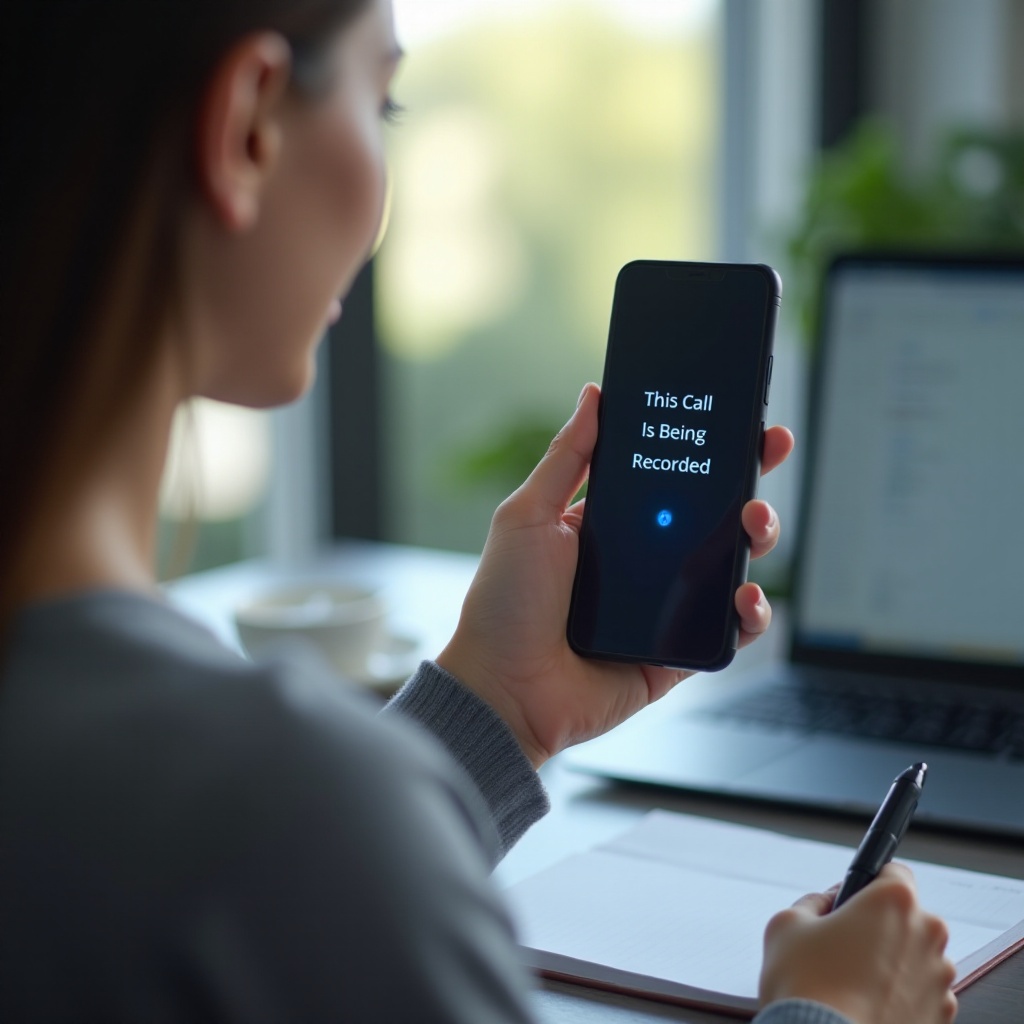
The Short Answer: Why You Hear ‘This Call Is Being Recorded
You hear the announcement because someone on the line, usually the business you called, is recording the conversation. Companies record calls to train staff, improve service, verify orders, resolve disputes, prevent fraud, and meet legal or industry rules. Many systems play a notice at the start of the call to inform you, satisfy consent laws, and set expectations. At times, your carrier, your VoIP service, or an app on your device injects the prompt. It might trigger when an agent turns recording on, when an IVR connects you, or when you tap a record button. The announcement is a disclosure, not a threat. It tells you that voice data may be captured and stored. If you stay on the line in many states, that counts as consent. Now that you know the core reason, it helps to recognize where this message shows up most often so you can anticipate your options.
Common Places You’ll Hear the Recording Notice
You will hear the notice most often when you call organizations that handle sensitive data or high call volumes. Common examples include:
– Banks, credit unions, card issuers, and insurance companies.
– Retailers, airlines, hotels, and travel agencies.
– Utilities and telecom providers.
– Government helplines and benefits offices.
– Healthcare scheduling desks and telehealth coordination lines.
– Warranty, repair, and tech support centers.
Small businesses also use cloud phone systems that enable recording by default, so you may hear the message when calling a local clinic, a contractor, or a boutique shop. On personal calls, the prompt can appear if you route calls through services like Google Voice, rely on carrier call forwarding, or installed a call recording app in the past. Even some home VoIP adapters and PBX systems add the notice. Knowing the typical contexts helps you trace the source. Once you spot the pattern, the next step is to understand the technology that triggers these announcements.
The Tech Behind the Announcement: Carrier, App, or Device?
Three layers can play or inject the recording notice, and they often interact:
– Carrier or network: Your mobile carrier or VoIP provider can insert announcements on certain features, such as call analytics, forwarding, or spam screening. Some business lines come with network-level recording that automatically plays a disclosure.
– Business phone system: Call centers run PBX or cloud contact center platforms. The IVR may play a disclosure before routing you to an agent, and the platform controls when recording starts, pauses, and resumes. Admins can configure prompts to play at the start, at intervals, or on demand.
– Your device or app: Android phones can offer call recording in select regions. Google Voice can record incoming calls when you press a key and often announces it to both parties. Third-party apps implement their own prompts to stay compliant and avoid app store policy issues.
These layers explain why you might hear the message at different times. Sometimes it plays right away, sometimes after an agent joins, and sometimes mid-call when recording resumes after a payment pause. If you keep hearing it on your personal calls with friends or family, the source may be an app, a VoIP setting, or a carrier feature toggled on your line. Before you start turning features off, it helps to decode another clue: beeps versus voice prompts.
What the Beep Tone vs. Voice Prompt Means
A single spoken prompt like ‘This call is being recorded’ provides clear, front-loaded notice. A repeating beep serves as an ongoing reminder that recording is active. Some systems use both: a voice prompt at the start and periodic beeps during the call. Timing matters. Best practice is to play the notice before recording begins, and to continue giving reminders if the recording persists for a long call. If you hear a voice prompt in the middle of a call, the agent or system likely restarted recording, often after protecting your payment data during entry. While cues vary by platform, the goal does not change: inform all parties. That brings us to the legal framework behind these prompts and why companies lean on clear disclosures.
US Consent Rules in Plain English (One-Party vs. All-Party)
In the United States, consent rules fall into two broad categories:
– One-party consent: In most states, recording is lawful if at least one party to the call consents. If you are the recorder or the business decides to record, that single consent can satisfy the rule.
– All-party (or two-party) consent: Several states require consent from everyone on the call. There, each participant must agree before recording begins.
Because state laws differ and can be updated after 2024, many organizations choose a conservative path. They play a clear notice so all callers hear the disclosure, then offer options where possible. Continuing the call after the notice often serves as consent in many jurisdictions, but businesses may still provide an opt-out path to avoid disputes. Regulated industries like finance and healthcare impose additional duties, including limiting access, encrypting stored recordings, and retaining records only as long as needed. These obligations shape how and when notices appear. The rules get trickier when calls cross state or national lines, which raises an important question about jurisdiction.
Interstate and Cross-Border Calls: Which Law Applies?
When a call spans multiple states, more than one law can apply. Regulators and courts may consider where each party is located, where the recording device sits, and what contracts or posted policies say. Many businesses follow the stricter rule among the relevant states to reduce legal risk. If a call involves a foreign participant, additional privacy laws may come into play, such as data protection rules that govern notice, purpose, and retention. As a caller, you do not need to solve multi-jurisdiction puzzles in real time. If you hear a notice and prefer not to be recorded, you can ask to opt out or switch channels. If the organization cannot offer a non-recorded option, you can decide whether to proceed or end the call. To make those conversations easy, it helps to have ready-made scripts.
Your Options If You Don’t Want to Be Recorded (Scripts and Alternatives)
You can take control without conflict. Use clear, polite language and make direct requests:
1) Ask to opt out: ‘I prefer not to be recorded. Can you pause or move me to a non-recorded line?
2) Propose another channel: ‘Could we switch to secure chat, email, or a support portal?
3) Request a call-back: ‘Please have someone call me from a line that is not recorded if possible.
4) Limit what you share: Provide non-sensitive details first. Save account numbers or payment data for a secure form.
5) End the call if needed: ‘Thanks for your help. I will reach out through another method.
If recording is mandatory, you can still manage your risk. Ask how they protect recordings, who can access them, and how long they keep them. Confirm whether they mask or delete payment segments. These quick checks set guardrails before you share sensitive data. Next, let us cover practical ways to handle that data safely if you choose to continue.
Handling Sensitive Info Safely During Recorded Calls
When you must share personal or payment details, slow down and set boundaries:
– Ask the agent to pause recording before you read card numbers or other secrets.
– Use keypad entry if offered. Many systems mask DTMF tones so recordings do not reveal the numbers.
– Avoid reciting full Social Security numbers. Request a secure portal or a redacted method.
– Confirm alternate verification methods so you do not expose extra information.
– Never share passwords or one-time codes. Those are meant to stay private.
These tactics reduce exposure even if the call remains recorded. If you keep hearing the notice on personal calls that should be private, the problem might sit on your device or account. A simple checklist can uncover the cause and resolve it.
Troubleshooting: Why You Hear It on Personal Calls and How to Fix It
If you wonder daily, ‘why do I hear this call is being recorded on my own phone,’ work through these steps:
– Android: Open the Phone app. Check if automatic recording is enabled for unknown numbers or selected contacts. Review Accessibility services for call recorders you do not need. Uninstall third-party recorder apps. Reboot the phone.
– iPhone: Apple restricts native recording. If you hear announcements, look for third-party recording apps, call-forwarding services, or VoIP apps that inject prompts. Remove or disable them and review call settings.
– Google Voice: The service can record incoming calls when you press the record key. Check settings to disable recording or its announcement. Review call forwarding and linked numbers.
– VoIP or home PBX: Log into your router, ATA, or PBX dashboard. Turn off automatic recording and announcement features if you do not need them.
– Work devices: Mobile device management profiles may enforce recording. Ask your IT team which policies apply and whether they can disable the feature for personal calls.
– Carrier features: Line-level options like analytics, call centers, or voicemail services can alter audio flows. Contact your carrier to review and remove extras that play announcements.
– Security check: If you never installed a recorder but still hear prompts, scan for spyware, remove unknown apps, update your OS, and reset call settings.
If none of these steps fix the issue, document when the announcements occur and share examples with your carrier or IT admin. Clear details help them pinpoint whether the trigger is network-level or device-level. While you troubleshoot, stay alert for cases where the notice, or the conversation around it, signals a scam.
When the Recording Notice Is a Red Flag (Scams and Privacy)
Most recording disclosures are routine. Treat the situation as suspicious if the caller pushes extreme urgency or unusual payment methods. Warning signs include:
– Demands for gift cards, cryptocurrency, or wire transfers.
– Threats of arrest, account closure, or immigration action for not paying immediately.
– A prize or refund pitch that quickly pivots to collecting full card numbers.
– Requests for full Social Security numbers or passwords.
If something feels off, hang up. Then call back using a number from the company website or the number on your card. Do not trust caller ID alone. When you know what to avoid, you might consider recording your own calls for accuracy and protection. Here is how to do that safely and legally.
Can You Record Too? Your Rights and Responsibilities
You can record your own calls in many one-party consent states as long as you are on the call. In all-party consent states, you must get permission from everyone. When in doubt, ask: ‘I would like to record so I can remember details. Is that okay?’ If anyone declines, do not record. On work phones or employer-managed devices, company policy may restrict recording even if the law allows it. If you do record, protect the files. Store them securely, use device encryption, limit access, and delete old recordings when no longer needed. Never post or share recordings that include private data. These habits help you protect yourself, respect others, and comply with the law. With the legal and practical pieces in place, let us close with the core takeaways.
Conclusion
Hearing ‘This call is being recorded’ is common and usually routine. The notice exists to inform you and meet consent rules. You now know who plays the message, how the technology works, and what US laws require. You also have practical scripts to opt out, safer ways to share sensitive details, and a checklist to fix unwanted prompts on your own phone. If a call feels wrong, hang up and reconnect through a trusted number. With these steps, you stay informed, reduce risk, and stay in control on every call.
Frequently Asked Questions
Is it legal for a company to record my call without asking me first?
In most one-party consent states, yes, if one party consents to recording. Many companies still give a clear notice to be safe. In all-party consent states, everyone must agree before recording.
Why did I hear ‘This call is now being recorded’ in the middle of the call?
Agents often pause recording while you enter payment or identity details and then resume. Some apps also start recording when you press a record key. A mid-call notice means the system just re-enabled recording.
How can I stop my phone from announcing that calls are being recorded?
Check your phone and app settings. Disable call recording in the Phone app or Google Voice, remove third-party recorder apps, and review carrier features. On work phones, ask IT if a policy enforces recording.