
Introduction
Text messages do not always reveal why someone has not replied. You see a status change, or nothing at all, and start to wonder if their phone is off. This guide gives you reliable signs to check across iMessage, SMS, RCS, and popular chat apps. You will learn what each status means, how call behavior helps, and how to separate an off phone from Do Not Disturb, a block, or no signal. You will also get simple steps to test without spamming. The goal is clarity and calm so you can choose the right next move and respect privacy while you wait.
To make each step practical, we will build from the fastest checks, move through platform indicators, then finish with etiquette and myths. Use the next section as a quick shortcut when you need an answer fast.
The Quick Answer: Reliable Signs Someone’s Phone Is Off vs Temporarily Unreachable
The fastest checks are simple and low pressure. Send one short message. On iMessage, if the status stays at Sent and never shows Delivered, the iPhone might be off or offline. In Google Messages with RCS, a status stuck at Sent hints the same. On WhatsApp, a single gray check means the message reached the server but not the phone. Now try one short call. If it goes straight to voicemail with no rings or just one short ring every time, the phone is likely off, dead, or out of service. Give it time. Avoid repeated pings that add noise.
Those quick tells are strong, but SMS alone can be vague. Next, let us break down what basic SMS and MMS can and cannot reveal so you do not misread a silent status.
What SMS/MMS Status Means When a Phone Is Off
Plain SMS is simple and limited. Your phone shows Sent when it hands the text to your carrier. Many phones never show Delivered for SMS, so you may not get a clear signal that the message reached the device. If the recipient’s phone is off, the carrier queues your SMS and tries delivery when the phone reconnects. During that time, you often see no visible change. MMS needs data and has more points of failure. If their phone is off, MMS can sit pending or fail and retry later. Large attachments add delay and make troubleshooting harder.
Because SMS gives few clues, platform signals help a lot. Apple’s iMessage adds delivery badges and read receipts that improve your confidence. Let us compare how those behave when an iPhone is off, then match them with Android’s RCS indicators.
iMessage: Sent, Delivered, Read—How They Change if an iPhone Is Off
iMessage runs through Apple’s servers, so the status reflects server and device state. If the recipient’s iPhone is off, your blue bubble usually shows Sent but not Delivered. It may stay that way until their phone reconnects. If delivery fails right away, you might see Not Delivered, which often points to your connection or a server issue rather than proof their phone is off. When the iPhone powers back on, the status flips to Delivered. Read receipts appear only if the recipient turned them on and opened the chat.
You can enable Send as SMS so a stuck iMessage falls back to a green SMS after a delay. That fallback does not confirm power off. It only shows that iMessage did not deliver and your phone tried SMS. To round out the picture, compare that behavior with Android’s RCS next. Together they sharpen your judgment before you place a test call.
RCS/Google Messages: Indicators When an Android Phone Is Off
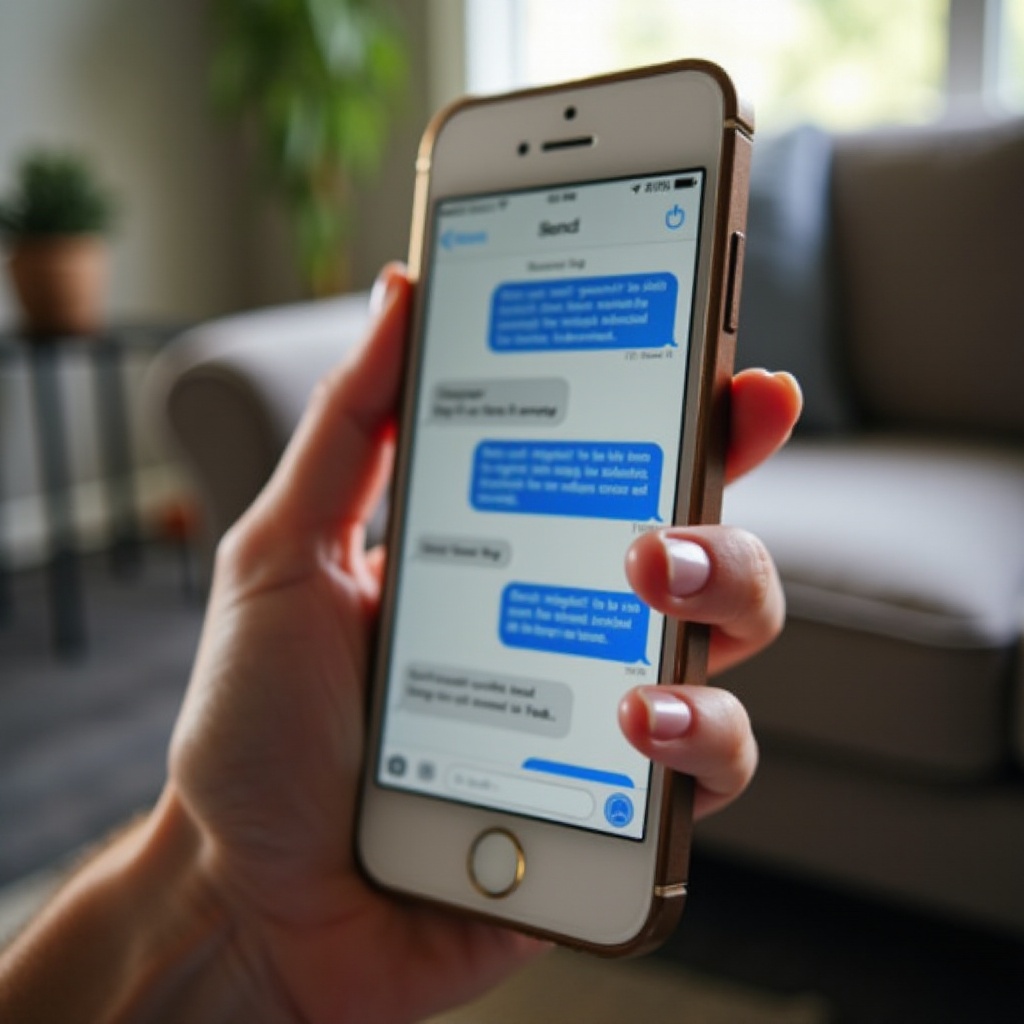
RCS in Google Messages often shows four states: Sending, Sent, Delivered, and Read. If their Android phone is off, your chat typically moves to Sent and stays there. It will not show Delivered until the device reconnects to data or Wi‑Fi. If RCS is not available for either user, the app may fall back to SMS or MMS. You will usually see a banner or small note that says sent as text message or similar. That fallback hides some details because SMS lacks reliable delivery signals.
Group chats can also confuse things. RCS delivers per device, so one member being offline can delay media or show partial deliveries. Once the phone powers up, queued RCS messages deliver quickly. To double check your hunch, look at third‑party app indicators, which often provide a clean second source of truth.
Third-Party Apps (WhatsApp, Messenger, Signal): What You’ll See if Their Phone Is Off
Apps provide distinct delivery marks you can read at a glance. On WhatsApp, one gray check means the message reached WhatsApp’s servers; two gray checks mean it reached the phone; two blue checks mean it was read. If their phone is off, you usually see a single gray check until it powers up. On Signal, one check equals sent to the server; two checks equals delivered to the device; a filled icon or explicit read tag appears on read. On Messenger, a hollow circle with a check means sent, a filled circle with a check means delivered, and a small profile photo means seen.
If your messages sit at sent across multiple apps, the device is likely offline. If they all show delivered but you get no response, the device is on but the person may be busy or silencing notifications. That leads to the next distinction you need to make: silenced versus off.
Phone Off vs Do Not Disturb or Focus Mode: How to Tell the Difference
Do Not Disturb and Focus modes mute alerts but keep the phone powered on. Messages still deliver. In iMessage, you may see a small note that the person has notifications silenced if they share Focus status. On Android, you will see normal delivery but often no reply for a while. Calls can still ring. Some DND settings send calls to voicemail, but repeated calls from the same number can break through if the person enabled that option.
Check third‑party apps too. Deliveries keep landing, and reads might pause until the person checks their phone. If you see consistent delivered badges across apps but no response, DND or a busy schedule is more likely than power off. If deliveries never appear anywhere, consider a powered‑off phone or no coverage. Before you jump to conclusions, separate this from the signs of a block.
Phone Off vs Blocked Number: The Clearest Clues
Blocked and powered‑off can look similar at first, but patterns differ over time. On iMessage, a block often removes the Delivered badge entirely. Messages may stay blue without delivery, or fall back to green SMS if allowed. You never get read receipts from a block. Calls to a block often go straight to voicemail, and the recipient’s phone does not ring. On Android, you may see Sent forever or Not delivered, depending on app and carrier behavior.
In WhatsApp, a block usually shows one gray check only, hides last seen and profile updates, and never turns to two gray checks. When every channel stalls the same way for days while the person appears active for others, a block is possible. If the same symptoms clear after the person reappears, it was more likely a coverage or battery issue. To refine your call on this, weigh common coverage issues next.
Phone Off vs No Service, Airplane Mode, or a Dead Battery
No service, Airplane Mode, and a dead battery can mirror a powered‑off phone from your side. With no service, SMS may queue while data‑based apps stall at sent. In Airplane Mode, the phone can still receive iMessage or app messages over Wi‑Fi. In that case you might see fast deliveries on apps while calls fail. A dead battery means total silence until a charge. Outdoors, a small move can boost signal and flip sent to delivered at once. Indoors, Wi‑Fi can mask weak cellular and let app messages land.
Use cross checks. If app messages deliver but calls never connect, think Airplane Mode or low cellular signal. If nothing delivers anywhere and calls jump to voicemail with no rings, the device is likely off or out of coverage. To confirm without spamming, a controlled call test helps.
Call and Voicemail Cues That Help Confirm a Powered-Off Phone
Calling offers strong clues when used sparingly. If every call goes straight to voicemail with zero rings or only a single short ring, the phone is likely off, dead, or out of coverage. A normal multi‑ring before voicemail suggests the phone is on but unanswered or silenced. Voicemail greetings do not change with power state, so do not rely on wording. Try one more call after several minutes. If results match, combine this with your message statuses to decide your next step.
Use restraint. Multiple back‑to‑back calls can create stress and may trip spam filters. With call behavior noted, remember that networks, settings, and travel can change what you see. The next section explains those variables so you do not misread odd patterns.
Carrier and Device Factors in the U.S.: Dual SIM, eSIM, Wi‑Fi Calling, Roaming
Networks and device settings shape delivery. Dual SIM or eSIM lets people run two lines. One line can be reachable while the other is off. Wi‑Fi Calling can route calls and texts over Wi‑Fi when cellular is weak, so deliveries may arrive even with poor bars. Roaming can delay messages and disable some features. Visual voicemail can lag or fail, making call outcomes look inconsistent. Carriers differ in support for SMS delivery reports, and not every plan or device shows them.
When clues conflict, note context. If the person is traveling, flying, or crossing borders, expect gaps. Knowing that these variables exist helps you treat a single odd result with caution. With that in mind, timing is your friend. See how queues behave when a phone reconnects.
Message Queue Timing: How Long Texts Wait and What Happens When the Phone Powers Back On
Most carriers queue SMS for a limited window, often several hours, then drop them if undelivered. Apps and iMessage usually hold messages longer and sync the moment the device connects. When a powered‑off phone turns on, queued messages deliver quickly in order. You may see multiple Delivered badges land at once, followed by read receipts if enabled as the person opens the chat. Media in MMS or RCS can land after texts because of size or network conditions.
If nothing updates after you expect the person to be back online, the message likely failed and needs resending. Knowing this timing helps you avoid rapid follow‑ups that add noise. Before you assume the phone is off, try a few gentle troubleshooting steps.
Practical Troubleshooting Before You Assume the Phone Is Off
Use simple, low‑noise checks that respect the other person:
– Confirm your connection. Toggle Airplane Mode on, wait five seconds, then turn it off. Reconnect Wi‑Fi and mobile data.
– Send one short plain text without photos or links. Large files can delay delivery.
– Try a brief call once. Note the ring count and whether it jumps to voicemail.
– Check a second channel the person already uses, such as email or a work chat. Do not create new accounts just to reach them.
– On iPhone, allow Send as SMS if an iMessage is stuck. On Android, allow SMS fallback from RCS.
– Wait 15 to 30 minutes. Many queues clear on their own.
– Send one polite follow‑up: Hey, just checking that my text went through. No rush.
If status still does not change, rely on the call pattern plus app indicators for your best read. With the technical pieces covered, let us keep your approach considerate.
Privacy, Etiquette, and Considerate Follow-Ups
Respect the other person’s time while you troubleshoot. Send one clear message, then wait. A second ping is fine after a reasonable gap, but avoid stacking texts. Do not demand read receipts or location. If your message is urgent, say so plainly and briefly. You can add a friendly boundary such as no rush, reply when convenient. For close contacts, features like Emergency Bypass on iPhone exist for true emergencies only. At work, set expectations for response windows so delays do not cause confusion.
Calm habits protect trust. They also reduce false alarms. With etiquette in place, clear away common myths that cause stress and misreads.
Common Myths and Misconceptions to Avoid
Several myths waste time. Green bubbles in iMessage do not always mean you are blocked. They can mean the phone is off, iMessage had an outage, the recipient switched platforms, or your phone fell back to SMS. Missing read receipts prove nothing because many people turn them off. Ring counts vary by carrier and call routing, so one ring is not absolute proof of power off. App last seen or active labels can lag or be hidden by privacy settings. Location sharing can pause for battery or privacy reasons. SMS delivery reports are not universal and may be disabled.
Treat each clue as one piece of a larger picture. The more signals you combine, the more confident your call will be. That brings us to the wrap‑up and a simple decision checklist.
Conclusion
You cannot see a power switch through a text thread, but you can read consistent signals. Status stuck at sent, app messages that never show delivered, and calls that jump to voicemail point to a powered‑off or unreachable phone. Delivered without a reply suggests Do Not Disturb or a busy moment. Uniform failure across every channel for days may indicate a block. Confirm with one careful call and a single follow‑up message, then give queues time to clear. When in doubt, switch to a less urgent channel and wait. Use these steps to reduce stress, protect relationships, and choose the right next move for your situation.
Frequently Asked Questions
Can I tell for sure if someone’s phone is off just by a text status?
Not with certainty. Status labels describe message flow, not the phone’s power state. Sent without Delivered suggests the device is offline, which can mean off, dead battery, no signal, or data disabled. Combine app delivery marks, one brief test call, and timing to raise confidence.
Why do my iMessages turn green—does that mean their phone is off?
Green means your phone sent the message as SMS, not iMessage. That can happen if you or the recipient lost data, Apple’s service had an issue, the recipient switched platforms, or iMessage was disabled. It does not prove the phone is powered off.
How long should I wait before following up if my text is not delivering?
If it is not urgent, wait 15 to 30 minutes, then try one follow‑up or a short call. For casual chats, an hour or more is reasonable. Many delays clear when the phone reconnects. If time‑sensitive, say so once and use a second channel the person already expects, then wait.