
Introduction
You turn off the lights, tap your iPhone screen, and notice something strange: a faint halo or bright band glowing along the edges of the display. That’s when the question hits: why does my iPhone glow around the edge, and is something wrong with it?
This glow can look different from phone to phone. Some people see a soft white haze at the borders. Others report a slight green tint, a rainbow effect, or brighter corners when the screen shows dark images. Because a smartphone is expensive and essential, any weird light can instantly cause worry.
The good news is that edge glow is not always a serious defect. Sometimes it’s a normal side effect of how modern phone screens work. Other times, it can be a clue that the screen, frame, or even internal parts have damage and need attention.
This guide walks through the most common reasons an iPhone glows around the edge, how to test whether it’s normal, what you can fix yourself, and when you should contact Apple or a repair shop. By the end, you’ll know whether to relax, adjust a few settings, or book a repair.
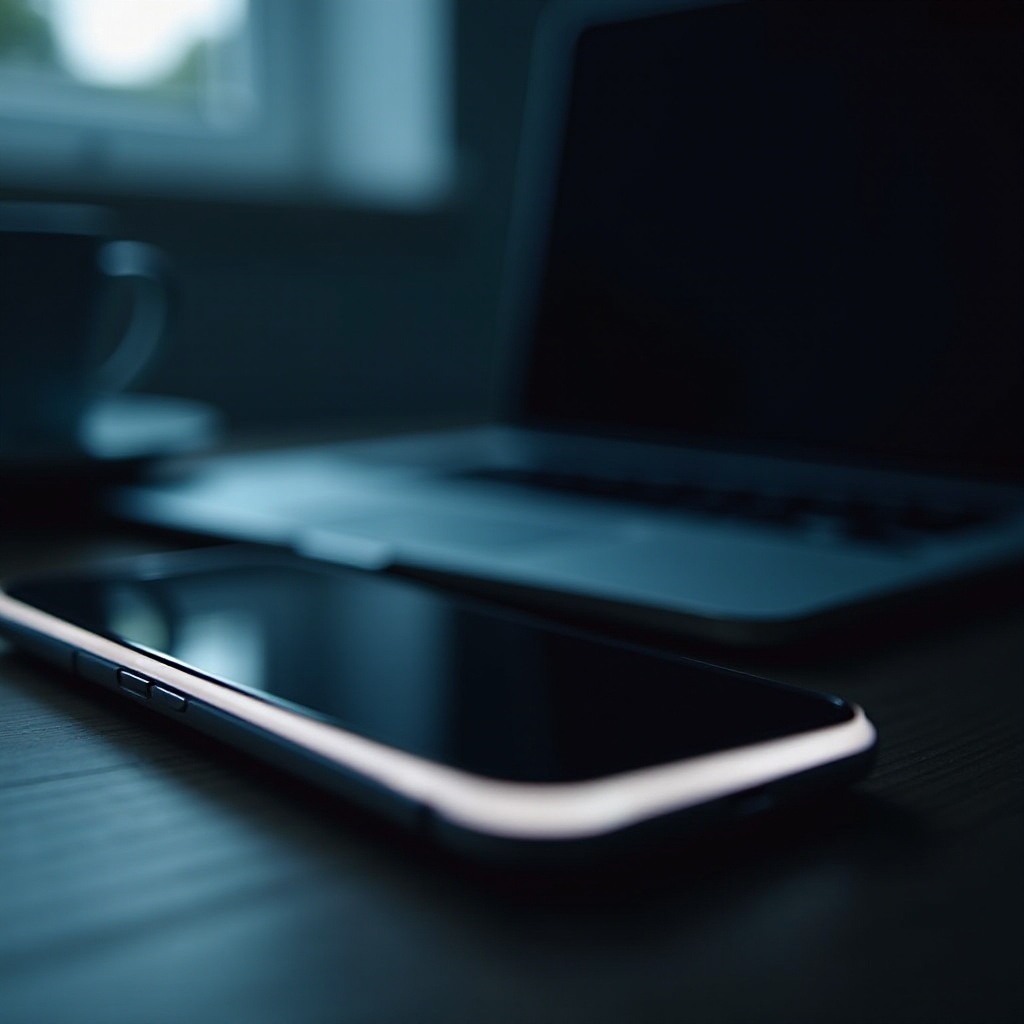
What Does ‘iPhone Glowing Around the Edge’ Actually Look Like?
Before you can fix anything, you need to be clear about what you’re seeing. When people search ‘why does my iPhone glow around the edge’, they usually mean one of a few specific visual effects.
Common Situations When You Notice the Glow
Most users spot the edge glow in low light or dark rooms, especially when:
- The screen shows a dark wallpaper or a black background
- Watching a movie or video with black bars
- Viewing photos with dark areas at the edges
- Locking or waking the screen and staring at it from the side
You may also notice it:
- While charging the phone at night on a bedside table
- While using Always-On Display (on supported models)
- When the phone screen is set to high brightness
Different Types of Edge Glow: White, Green, and Rainbow Effects
Edge glow does not always look the same. You might see:
- A soft white or gray halo along one or more edges
- Slightly brighter corners compared to the center
- A faint green tint, especially on OLED models
- A rainbow-like border when using certain screen protectors
Each appearance points to a different mix of causes, from normal display behavior to light bleed or hardware issues.
Edge Glow vs. Other Screen Issues (Burn-In, Bright Spots, Flicker)
Edge glow is easy to confuse with other display problems:
- Burn-in: permanent ghost images or shadows that match static content such as icons or status bars
- Bright spots: isolated pixel clusters or small areas that are much brighter than the rest
- Flicker: rapid brightness changes or flashing, not just a steady glow
Edge glow usually appears as a steady light band around the border, most visible on dark content. If you see static images burned in or rapid flicker, you may be dealing with different issues.
Understanding what the glow looks like makes it easier to decide whether you’re seeing normal display characteristics or something caused by hardware or settings. With that picture in mind, the next step is to look at the normal reasons your iPhone might seem to glow at the edges.
Normal Reasons Your iPhone Might Glow Around the Edges
Not every glow points to a faulty phone. Some edge lighting is simply how modern displays behave, especially on recent iPhones with very thin bezels and high-end panels.
How Modern iPhone Displays Work (OLED vs. LCD in 2024)
Recent iPhones mainly use OLED displays, while some older or budget models use LCD.
- OLED panels light up each pixel individually. They can show perfect black, but at certain brightness levels or angles, very dark shades may reveal slight glow or color shifts at the edges.
- LCD panels use a backlight behind the screen. The light must pass through layers of filters and glass. That process can cause visible glow near the edges, especially on dark backgrounds.
Because the bezels are so thin, you see more of what used to be hidden behind a thicker border. That can make normal light patterns more noticeable.
Light Bleed and Panel Uniformity Quirks
Even high-quality displays have small variations:
- Slight ‘light bleed’ in corners, where backlight or internal light leaks out a little
- Minor brightness differences from one side of the screen to the other
- Tiny color temperature shifts near the edges
These are usually within Apple’s acceptable range and often show up only in low light or with full black screens.
Reflections from Screen Protectors, Cases, and Room Lighting
Accessories and lighting can make an ordinary screen look like it’s glowing:
- Screen protectors with polished or beveled edges can catch the display light and create a glowing border.
- Clear or glossy cases can reflect the light from the display onto the frame.
- Room lights, lamps, or windows behind you can reflect in curved glass and give the illusion of edge glow.
If your iPhone only glows at certain angles or under specific lights, reflections and accessories are strong suspects.
Now that you know some normal causes, you can start to see how your own settings might be making the glow look better or worse. The next section looks at how software and display options can exaggerate or soften the effect.
Software and Settings That Can Make the Edges Look Like They Glow
Many users overlook the impact of display settings and content on perceived edge glow. Software doesn’t usually cause true hardware defects, but it can make existing quirks more visible.
Brightness, True Tone, Night Shift, and Dark Mode
Try adjusting or toggling these:
- Brightness: High brightness in a dark room makes even minor edge glow look much stronger.
- True Tone: This feature adjusts color temperature based on ambient light. It can slightly warm or cool the edges, making glow more visible.
- Night Shift: Adds a warm tint to the display at night. That shift can highlight uniformity issues near the edges.
- Dark Mode: Dark Mode uses more dark backgrounds. Those backgrounds show edge glow and light bleed more than bright, colorful screens.
Try lowering brightness in a dark room. If the glow becomes much less noticeable, you’re probably dealing with normal behavior enhanced by settings.
HDR Video, Games, and Full-Screen Apps
Content can change how the edges look:
- HDR videos push brightness and contrast higher than standard content. That can emphasize light bleeding and brightness differences.
- Games often run at full brightness and full screen, showing glow at edges and corners where dark elements meet the bezel.
- Full-screen apps with dark bars or UI elements near the edges highlight any brightness imbalance.
If edge glow appears only in specific apps or videos, test with a simple black wallpaper or a basic photo to see if the effect remains.
Accessibility Settings That Change Contrast and Colors
Some accessibility options can change how you perceive the edges:
- Increase Contrast
- Reduce Transparency
- Color Filters
- Invert Colors (Smart or Classic)
These can deepen blacks or alter color balance, making the edges seem more pronounced. Turn them off temporarily and see if the glow looks different.
If software and settings seem to amplify the glow, but you still suspect something more serious, it’s time to examine hardware-related causes. That’s where physical damage, repairs, or moisture can play a role.
Hardware-Related Causes You Should Check for Edge Glow
When the glow looks strong, uneven, or appears suddenly after an event like a drop or repair, hardware may be involved. These causes often require more than a simple setting change.
Aftermarket Screen Replacements and Non-OEM Parts
If you’ve had the screen replaced:
- Third-party displays may not match Apple’s original panel quality.
- The fit between the display and frame might be slightly off, allowing more light to leak along the edges.
- Backlight and color calibration may be weaker, creating bright edges or tints.
Non-OEM parts often show more edge glow, especially in dark scenes.
Drops, Bends, and Frame Pressure Around the Display
Physical stress on the phone can affect how the display sits in the frame:
- A hard drop can cause micro-gaps between the display and frame.
- Bending from keeping the phone in a tight pocket or sitting on it can slightly warp the chassis.
- Excess pressure from car mounts or holders can squeeze the edges of the display.
These issues can distort the layers under the glass, allowing light bleed or localized glow.
Water or Moisture Damage Near the Screen Assembly
Water resistance is not water-proofing. Over time:
- Moisture can seep in through worn seals or cracks.
- Corrosion or residue inside the display assembly can change how light spreads.
- You might see uneven glow or strange patterns near affected areas.
If you remember a splash, spill, or heavy steam exposure before the glow started, moisture could be involved.
Early Signs of Screen or Backlight Failure
In some cases, edge glow is an early warning:
- The backlight may start failing unevenly on LCD models.
- Internal components can deteriorate, causing bright bands or changing colors near edges.
- You might also see flicker, random lines, or spots along with the glow.
When hardware damage is likely, guessing is not enough. You need a clear way to test how serious it is. That’s where a step-by-step troubleshooting process helps you separate harmless quirks from real faults.
Step-by-Step Troubleshooting: Is It Normal or a Real Problem?
You can run a few simple tests at home to check whether your iPhone’s edge glow is normal, cosmetic, or a sign of deeper trouble.
1. Clean the Screen, Remove Case and Screen Protector
Start with the basics:
- Remove any case and screen protector.
- Clean the screen and frame with a soft, lint-free cloth.
- Check the edges for dust, debris, or anything stuck between the screen and frame.
Now look at the screen in a dark room with a black or very dark wallpaper. If the glow disappears or improves, accessories or grime were part of the problem.
2. Screenshot vs. Photo Test to Isolate Hardware Issues
This test helps distinguish between display output and panel issues:
- Show a dark screen or app where you see the glow.
- Take a screenshot.
- View the screenshot on another device such as another iPhone, iPad, or computer.
If the glow appears in the screenshot on another device, it’s likely a software or content artifact. If the screenshot looks normal on other devices but your iPhone still shows edge glow, the problem is in the display hardware or how the screen outputs light.
3. Test Different Backgrounds, Brightness Levels, and Angles
Run these checks:
- Set a pure black wallpaper.
- Look at the phone at minimum, medium, and maximum brightness in a dark room.
- Tilt the phone and view from different angles.
Note what changes:
- If the glow almost disappears at lower brightness, it may be within normal behavior.
- If one corner or side is much brighter at all settings, that suggests a hardware issue.
4. Compare With Another iPhone Model from 2024 or Later
If possible, compare:
- Put your iPhone next to another recent iPhone in a dark room.
- Use the same wallpaper and brightness settings on both.
If both phones show similar, faint edge glow, your device is probably fine. If your phone looks much worse, you may have a defective display or damage.
If your tests point to a persistent, uneven, or worsening glow, you need to decide whether to seek professional help. The next step is understanding when it makes sense to contact Apple Support or a repair shop.
When to Contact Apple Support or a Repair Shop
Some edge glow can be annoying but harmless. Other times, it signals a problem that a technician should check. Knowing the difference helps you decide your next move.
Warning Signs That You Shouldn’t Ignore
Consider contacting Apple or a reputable repair shop if:
- The glow is very bright, patchy, or only on one side.
- You see flickering, lines, or color bands with the glow.
- The glow appeared suddenly after a drop, bend, or water exposure.
- The glow gets worse over days or weeks.
- Parts of the touch screen feel less responsive near the bright areas.
These signs can indicate physical damage or component failure.
What Apple and Authorized Technicians Typically Check
At an Apple Store or authorized provider, staff may:
- Inspect the exterior for damage, bends, or gaps.
- Run display diagnostics using internal tools.
- Check for liquid contact indicators that show moisture exposure.
- Compare your screen to Apple’s internal quality tolerances.
They may suggest a display replacement, a full device replacement, or tell you the issue is cosmetic and ‘within spec’.
Warranty, AppleCare+, and Repair vs. Replacement Decisions
Your choices depend on coverage:
- If your iPhone is under standard warranty and there’s no obvious damage, Apple may cover screen or device replacement.
- If you have AppleCare+, accidental damage like drops may cost a reduced service fee.
- If you’re out of warranty, compare the repair cost with the price of upgrading to a new iPhone.
If the glow is minor and doesn’t affect use, you may decide to live with it. If it’s distracting or spreading, a repair or replacement is often the better long-term choice.
Of course, it’s better to avoid these choices whenever you can. Simple habits and smart accessory choices can reduce the chance of noticeable edge glow or damage in the future.

How to Prevent Edge Glow Problems on Your Current and Future iPhones
You can’t control every manufacturing quirk, but you can adopt habits that protect your display and frame, reducing the chance of noticeable edge glow.
Choosing Quality Screen Protectors, Cases, and Mounts
Good accessories matter:
- Pick screen protectors that sit flat across the display with smooth, non-beveled edges.
- Avoid ultra-cheap protectors that distort light or lift slightly at the edges.
- Use cases that support the frame evenly, without pressing too hard on the edges of the screen.
- Choose car mounts or holders that grip the phone securely but don’t squeeze the display.
Quality accessories help keep the screen properly seated and reduce reflections that look like glow.
Avoiding Excess Pressure in Pockets, Bags, and Car Holders
Daily handling can bend or stress the frame:
- Don’t sit on your phone or keep it in tight back pockets.
- Avoid overstuffed bags where other objects press directly on the screen.
- Don’t use holders that clamp down on the edges or twist the phone when you insert or remove it.
Reducing pressure on the frame protects internal layers that control light distribution.
Safe Charging, Heat Management, and Long-Term Screen Care
Heat and poor handling can worsen display issues over time:
- Don’t leave your phone in direct sun or on hot dashboards.
- Avoid heavy gaming or intensive tasks while charging on soft surfaces that trap heat.
- Use certified chargers to avoid power irregularities that can stress internal components.
- Clean the screen and frame regularly to remove dust and debris that might work into seams.
These habits won’t prevent every defect, but they can extend display life and reduce the risk of extreme edge glow or failure.
Conclusion
When you notice your iPhone glowing around the edge, it’s natural to worry about a costly repair. In many cases, though, the glow comes from normal display behavior, slight light bleed, or reflections from accessories and lighting. Adjusting brightness, testing different content, and removing cases or protectors often reveals that nothing is seriously wrong.
At the same time, sudden, strong, or uneven edge glow, especially after drops, bends, or water exposure, can signal real hardware issues. Simple tests like the screenshot versus photo method, black wallpaper checks, and comparison with another recent iPhone help you separate harmless quirks from genuine faults.
If your tests suggest a hardware problem or the glow continues to bother you, Apple Support or a trusted repair shop can inspect your device and explain your options. With the right information and a few practical habits, you can decide whether to live with the glow, adjust a few settings, or repair or upgrade with confidence.
Frequently Asked Questions
Is a slight glow around the edges of my iPhone screen normal in 2024?
Yes, a faint and even glow around the edges is often normal, especially in dark rooms and on dark backgrounds. Modern edge-to-edge OLED and LCD displays can show minor light bleed or uniformity quirks near the borders. If the glow is subtle, doesn’t change, and doesn’t come with flickering, lines, or bright spots, it is usually within normal limits.
Can edge glow damage my iPhone or get worse over time?
Edge glow itself does not damage the phone. However, if it comes from underlying issues like a bent frame, loose display, water damage, or failing backlight, it can get worse over time. Watch for changes: if the glow spreads, gets much brighter, or appears with other display problems, have the phone checked by Apple or a repair shop.
Will a software update or reset completely fix edge glow issues?
A software update or reset can help only if the glow is linked to software behavior, such as aggressive brightness control, HDR rendering, or an odd display profile. True hardware problems, like light bleed, panel defects, or physical damage, will not disappear with updates or resets. It is still worth updating iOS and testing with default settings, but persistent, uneven glow usually needs a hardware inspection.